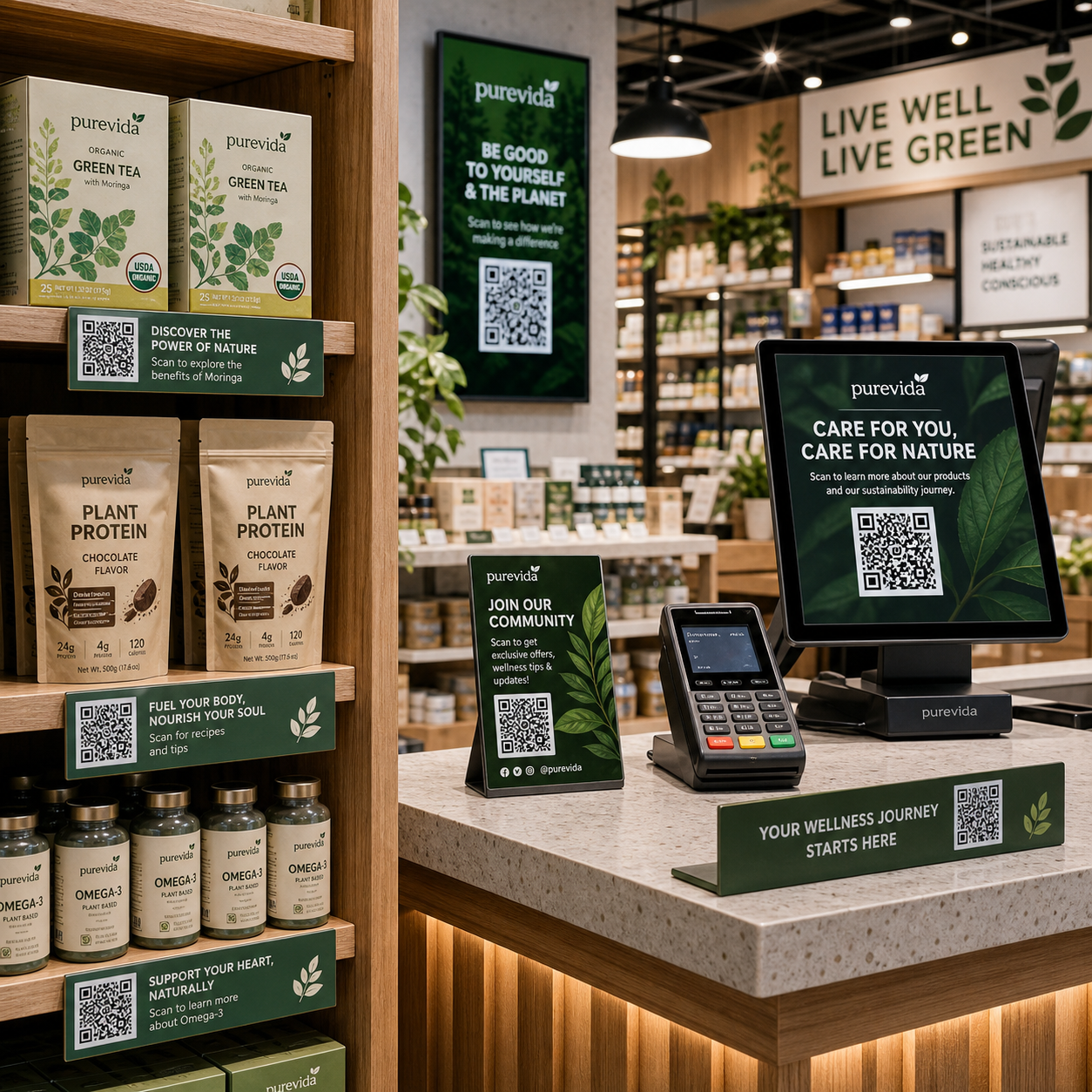
Best Practices for QR Code Placement in Physical Stores: Maximize Scans and Engagement
Why Placement Is the Deciding Factor for In-Store QR Code Success
A perfectly designed QR code placed in the wrong spot will never be scanned. Placement is the single most controllable variable between a QR code that drives real engagement and one that gets ignored entirely.
Think about it from the customer's perspective. They're navigating a store with a specific goal in mind. Unless a QR code appears at exactly the right moment — when they're stationary, curious, and have their phone accessible — they won't stop to scan it. Poor positioning doesn't just reduce scan rates; it wastes the entire campaign investment behind that code.
This is why retailers who treat QR code placement as an afterthought consistently underperform compared to those who map it to actual customer behavior. The sections below give you a systematic way to get it right.
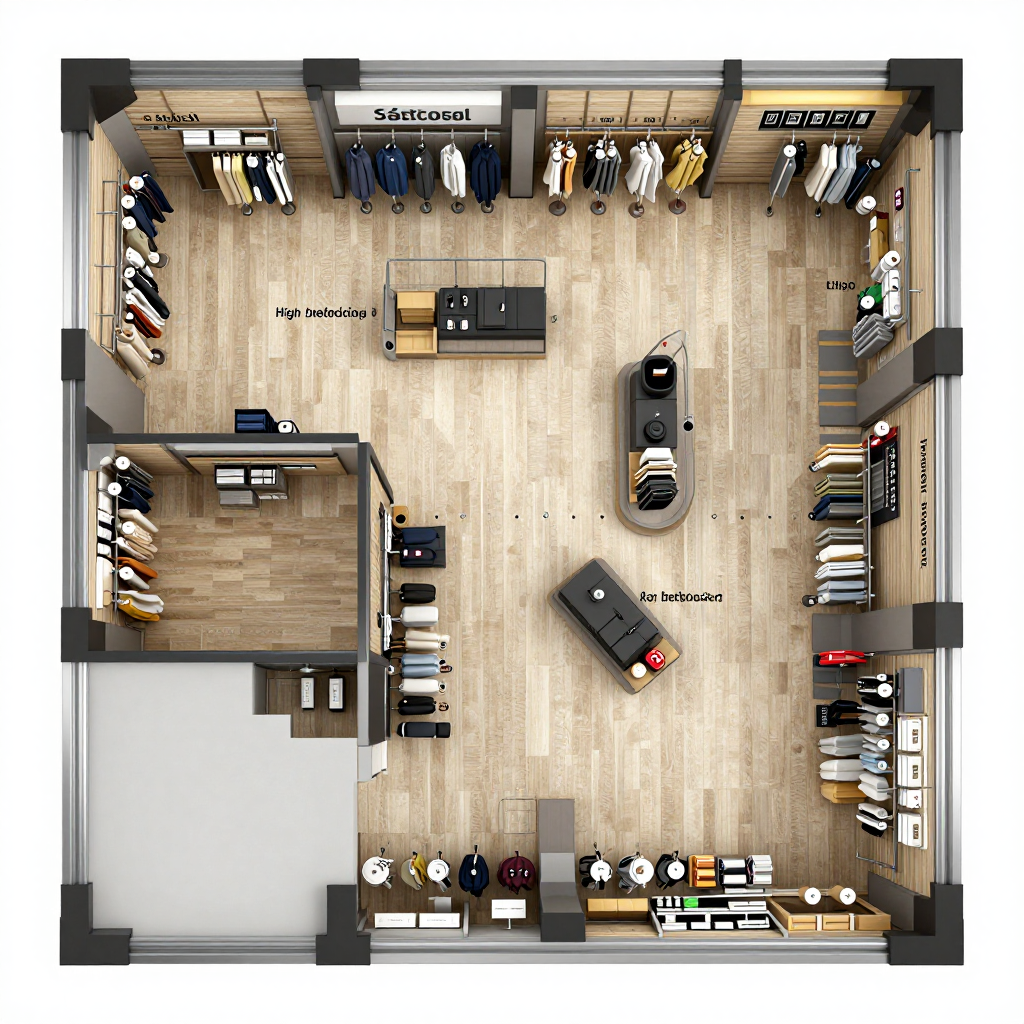
Map Your Store Zones Before You Place a Single Code
Before fixing any QR code to a surface, audit your store's traffic patterns and customer dwell time by zone. High-traffic areas are not automatically high-scan areas — the two are different things.
The entrance, for example, sees heavy foot traffic but very low dwell time. Customers are in motion and not yet in a browsing mindset. Placing a QR code at the front door is one of the most common mistakes in in-store QR marketing. Contrast that with fitting rooms, checkout queues, or seating areas — zones where customers are stationary for 30 seconds to several minutes. Those are your prime QR code real estate.
A practical mapping exercise:
- Walk your store at peak hours and note where customers stop, slow down, or wait
- Identify zones where staff frequently answer the same product questions (strong signal that customers want more information)
- Flag areas near high-margin or high-interest products where extended engagement has direct revenue impact
- Note where customers already have their phones out — checkout lines, product comparison moments, fitting rooms
This zone analysis should drive every placement decision. It's the difference between strategic deployment and random scattering of codes across the store.
The Best Surfaces and Locations for QR Code Placement
Certain in-store surfaces consistently outperform others for QR code engagement. Here's a prioritized breakdown based on where customers are most likely to pause, notice, and act.
Shelf Talkers and Product Displays
Shelf talkers — the small signs attached to shelf edges — are among the highest-converting placements in grocery, pharmacy, and general retail. The customer is already evaluating a product. A QR code at that exact decision point, linking to reviews, tutorials, or a loyalty offer, appears precisely when motivation is highest.
Point of Sale (POS) Areas
The point of sale is a natural scan zone. Customers are waiting, phones are often already in hand, and there's a clear window of idle attention. POS QR codes work well for loyalty program sign-ups, receipt-based offers, and post-purchase feedback. Place them on counter cards, register surrounds, or the customer-facing side of payment terminals.
Product Packaging
QR codes on product packaging extend the in-store experience. A customer picking up a product to read the label is already engaged — a well-placed code on the back or side panel can link to ingredient details, usage videos, or exclusive content. Keep the code away from folds and curved edges where distortion affects scannability.
Window Displays and Entrance Signage
Window-facing QR codes serve a different purpose: capturing passersby before they even enter. These work best for time-sensitive offers or store event promotions. Inside the store, entrance signage QR codes can work if paired with a strong reason to scan immediately — but given low dwell time at entrances, the CTA needs to be exceptionally compelling.
Receipts and Packaging Inserts
Printed receipts and bag inserts extend QR code exposure beyond the store visit itself. These placements target post-purchase behavior — reviews, loyalty enrollment, or repeat purchase incentives — and benefit from the customer being in a receptive, satisfied mindset.
Size, Height, and Visibility Rules That Affect Scannability
Even a perfectly positioned QR code fails if it's too small to scan, placed at an awkward height, or washed out by poor lighting. Physical scannability has concrete requirements that many retailers overlook.
Minimum print size for in-store QR codes is generally 2.5 cm × 2.5 cm (approximately 1 inch × 1 inch) for close-range scanning — such as on shelf talkers or product packaging where a customer holds their phone 20–30 cm away. For codes on signage viewed from 1–2 meters, scale up proportionally. A rule of thumb: the code's side length should be at least one-tenth of the scanning distance.
Eye-level positioning is critical. The optimal height for wall-mounted or freestanding QR codes is between 100 cm and 150 cm from the floor — roughly chest to eye level for an average adult. Codes placed above 170 cm require awkward upward angles that most smartphones struggle with. Codes below 80 cm force customers to crouch, which almost no one will do voluntarily.
Lighting conditions matter more than most retailers realize. A QR code in shadow, under harsh glare, or on a reflective glossy surface creates scan failures that frustrate customers and kill conversion. Matte finishes outperform gloss for printed QR codes. If a placement zone has variable lighting (near windows, for example), test scanning at different times of day before committing.
High contrast between the code and its background is non-negotiable. Dark modules on a light background remain the most reliable combination. Avoid printing codes in colors that reduce contrast, regardless of how well they match your brand palette.
Pairing Every QR Code with a Clear Call to Action
Placement alone won't generate scans. Every QR code in your store needs a surrounding call to action that answers the customer's immediate question: "Why should I scan this right now?"
A bare QR code with no context is a friction point, not a feature. Customers won't scan something they don't understand. The CTA should be brief — typically five to eight words — and communicate a specific, tangible benefit. "Scan for 15% off today" outperforms "Scan to learn more" every time because it answers the value question before the customer has to wonder.
Effective CTA formats for in-store QR codes:
- Offer-based: "Scan to unlock today's member price"
- Information-based: "Scan to see how it works" (for complex or unfamiliar products)
- Experience-based: "Scan to try the virtual fitting room"
- Loyalty-based: "Scan to earn points on this purchase"
Position the CTA text directly above or below the code, in a font large enough to read at a glance. Don't make customers lean in to read the instruction — if they have to work to understand the offer, they've already moved on.
Common Placement Mistakes to Avoid
Certain placement errors appear repeatedly across retail environments, and each one has a measurable cost in lost scans and missed conversions.
Placing codes in low-light or high-glare zones. A QR code near a sunny window or under a direct spotlight can become unscannable at certain times of day. Many retailers discover this only after a campaign has been running for weeks. Always test under actual in-store lighting conditions before launch.
Mounting codes too high or too low. Codes above eye level require customers to angle their phones upward, which most camera apps handle poorly. Codes near floor level go unnoticed entirely. Stick to the 100–150 cm height range for the majority of placements.
Applying codes to curved or irregular surfaces. Product packaging with significant curvature, curved signage frames, or cylindrical displays distort QR code modules enough to cause scan failures. Flat, rigid surfaces are always preferable. If curved placement is unavoidable, use a code with higher error correction capacity.
Competing visual clutter around the code. A QR code surrounded by busy graphics, multiple promotional messages, or other codes nearby creates decision paralysis. Give each code visual breathing room — a clear quiet zone around the code and a single focused CTA.
Ignoring mobile signal availability. In basements, dense concrete buildings, or areas with poor carrier coverage, customers may scan successfully but the destination page won't load. If your store has known dead zones, either provide in-store Wi-Fi or avoid placing codes in those areas.
Measuring Whether Your Placement Is Working
Scan rate data is how you move from guessing to knowing. Every QR code in your store should be trackable, and placements should be evaluated on actual performance — not assumptions about where customers "should" engage.
Use a QR code platform that provides per-code analytics: total scans, scan timing, and device type. Assign unique codes to different locations even if they link to the same destination — this lets you compare the shelf talker version against the POS version against the receipt version and see which placement actually drives behavior.
Run placement tests iteratively. Move an underperforming code to a different zone, change the height, update the CTA, and measure again. Retail environments shift seasonally, and a placement that worked during a holiday campaign may underperform during normal trading periods.
Connecting scan data to downstream conversions — loyalty sign-ups, page visits, coupon redemptions — closes the loop between physical QR code placement and measurable campaign outcomes. This is what ties in-store placement into a genuine omnichannel retail experience, where physical touchpoints and digital engagement reinforce each other with real data behind them.
Frequently Asked Questions
How high off the ground should a QR code be placed for the best scan rate?
The optimal height is between 100 cm and 150 cm from the floor. This range aligns with chest-to-eye level for most adults and allows comfortable phone positioning without awkward angling up or crouching down.
Can QR codes be placed on curved or glossy surfaces?
Curved surfaces distort the code's modules and can cause scan failures — flat surfaces are strongly preferred. Glossy finishes create glare that interferes with camera recognition; matte lamination is a better choice for printed QR codes in variable lighting environments.
What is the minimum size a QR code should be printed for in-store use?
For close-range scanning (20–30 cm), 2.5 cm × 2.5 cm is the practical minimum. For signage viewed from 1 meter or more, scale the code so its side length equals at least one-tenth of the expected scanning distance. When in doubt, print larger — oversized codes never fail to scan, undersized ones frequently do.
Should every product in a store have its own QR code?
Not necessarily. Prioritize QR codes for products where additional information, social proof, or an exclusive offer meaningfully influences the purchase decision. Commodity items or products with obvious value propositions rarely benefit from a code. Quality of placement matters more than quantity of codes deployed.
How do I prevent QR code fatigue if I use multiple codes throughout the store?
Each code needs a distinct, clearly communicated purpose. If customers scan three codes and get three variations of the same homepage, fatigue sets in fast. Map each code to a specific action or offer relevant to its location — the fitting room code offers a style guide, the POS code offers a loyalty reward, the shelf talker code offers product reviews. Differentiated value keeps customers engaged across multiple touchpoints.